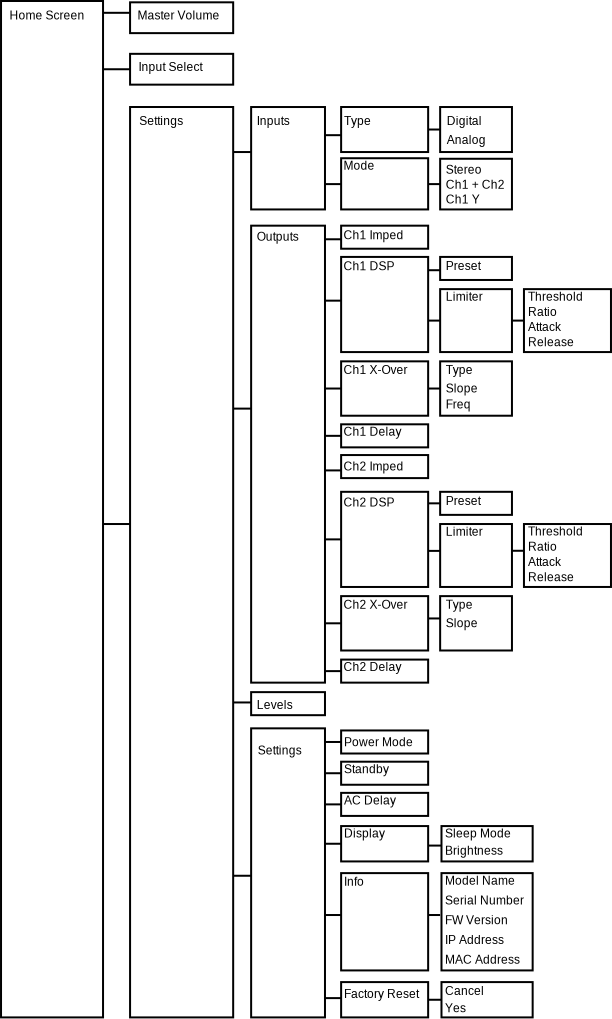
Using the Display Panel
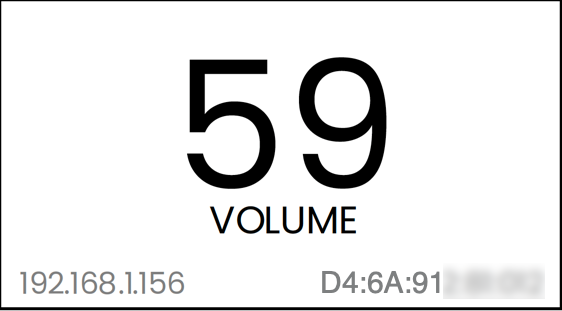
By default, Hybrid amp's Display Panel shows the current volume, IP address, and the amp's MAC address by default.
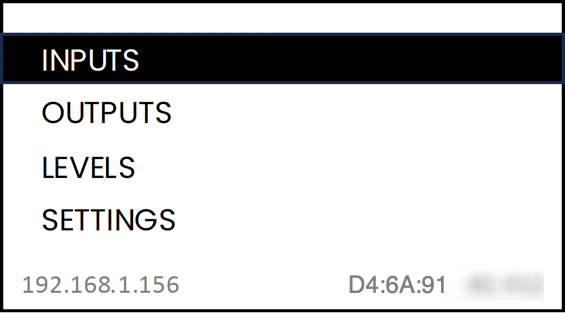
To access the Main Menu and Settings, turn the Level Adjustment/Selection Knob until you see the gear icon in the upper left outlined. Then press the knob.
Turn the Level Adjustment/Selection Knob to move through the menus, and press it to make selections.
To go back to the Home screen from any menu, press and hold the Level Adjustment/Selection Knob for 3 seconds, then release.
Display Panel Menu Map